Prices, availability, seller details, subscriptions, and included accessories can change. Confirm the final terms on the seller or manufacturer website. Affiliate links — AIFOLUNE may earn a commission at no extra cost to you.
Based on official product information, documentation, and independent market research. No hands-on testing is implied unless the article explicitly says otherwise.
The best AI recorder is not the device with the longest feature list. It is the one whose form factor, recording modes, transcription allowance, privacy model, exports, and ongoing cost fit the work you repeat every week.
QUICK VERDICT
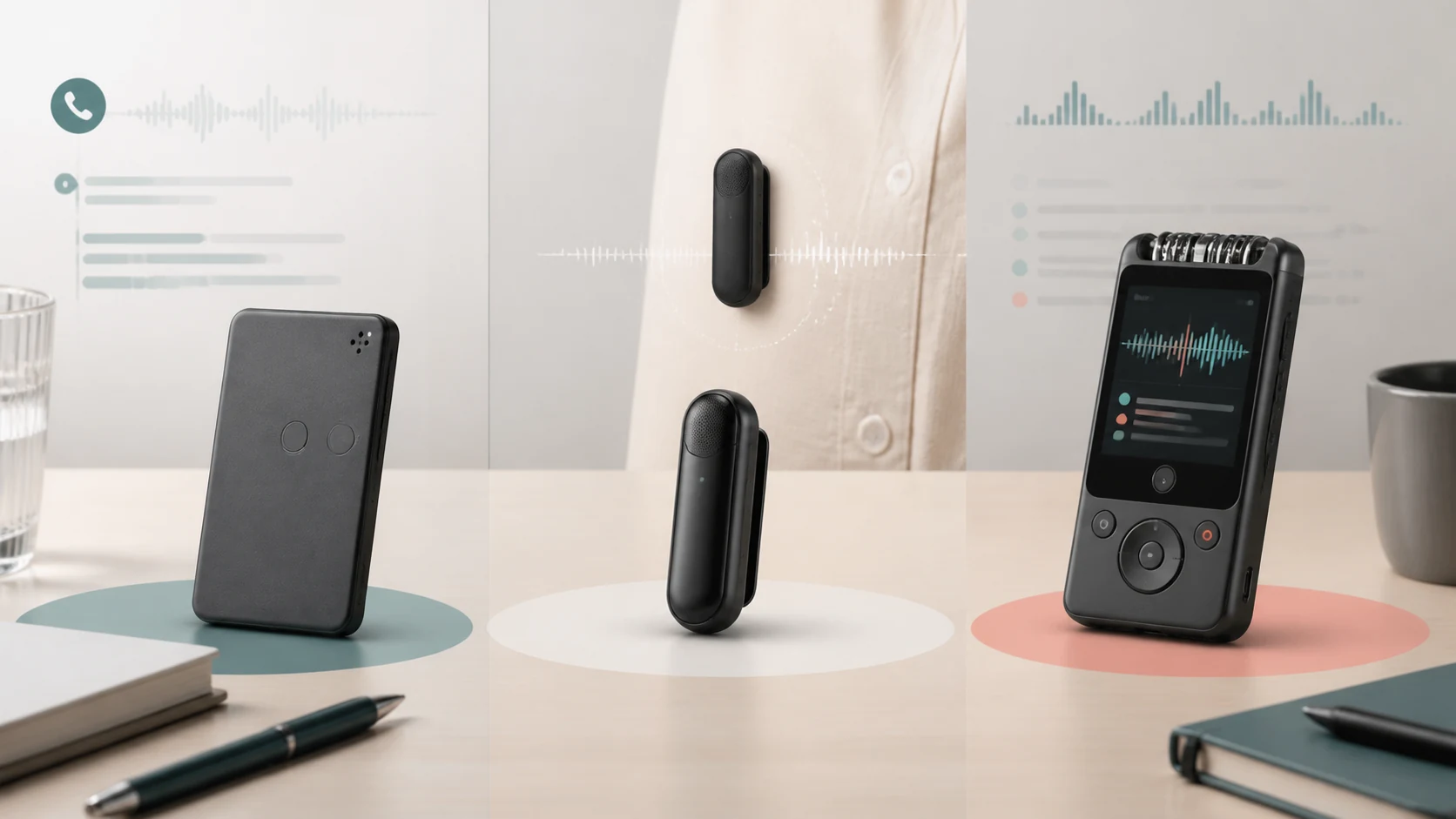
PLAUD Note is the most practical fit for users who regularly capture both room meetings and phone calls. PLAUD NotePin S is the better wearable choice for hands-free notes and interviews. iFLYTEK P1 Pro is the strongest alternative for buyers who want a screen and more recorder-like controls. None should be chosen before checking transcription limits, supported languages, exports, privacy, and the ongoing service cost.
OUR SHORTLIST
Recommended Picks
01
PLAUD Note
Best for meetings and phone calls
A slim dual-mode recorder built around phone-call capture, in-room meetings, transcription, and summaries.
Meeting + call modes
App workflow
AI transcription
Pocket format
Complete setup: Recorder, compatible phone, PLAUD app, account, and an appropriate transcription allowance.
Main trade-off: The best experience depends on the companion app, cloud processing, and the current transcription plan.
Define what must be recorded, where it happens, and what the finished output must look like. A manager may value searchable summaries and action items; a journalist may prioritize reliable source audio and exports; a student may need long sessions and clear organization. AI features only create value when they reduce a repeated task without weakening consent, privacy, or file ownership.
How We Chose
We compared verified product information, supported capture modes, form factor, transcription workflow, storage and export options, battery considerations, privacy trade-offs, and realistic ownership cost. This is an editorial comparison and does not claim laboratory or hands-on testing unless a linked review explicitly says so.
Recording modes and placement
Phone calls, table meetings, interviews, and wearable notes create different acoustic and legal requirements. A slim phone-oriented device is useful only if its call workflow matches the phone and region. A wearable recorder reduces setup friction but can rub against clothing or sit too far from other speakers. A screen-based recorder makes status easier to verify but occupies more space.
Transcription allowance and real ownership cost
The purchase price is only the first cost. Check included transcription minutes, renewal terms, overage handling, language availability, speaker labeling, summary features, export formats, and whether useful functions remain after a subscription ends. Compare cost per month of real use rather than the lowest device price.
Privacy, consent, and cloud processing
Recording rules vary by location and context. Obtain appropriate consent, avoid sensitive conversations that should not leave the room, understand where audio and transcripts are processed, and know how to delete or export records. A convenient wearable form factor does not remove the responsibility to make recording clear to participants.
Audio quality, battery, and failed-take risk
AI cannot restore words that were never captured clearly. Keep the recorder close enough to speakers, avoid fabric contact and table vibration, test the actual room, confirm remaining storage and battery, and make a short test recording before an important session. For critical interviews, keep an independent backup when practical.
App, web, and export workflow
A good recorder should fit the tools used after capture. Verify whether audio, text, summaries, speaker labels, and timestamps can be exported in useful formats. Check desktop or web access if work must continue away from a phone, and confirm how easily files can be moved into a notes app, document system, or client archive.
Which AI voice recorder should you buy?
Choose PLAUD Note for mixed meeting and call workflows. Choose PLAUD NotePin S when wearable access is the deciding factor. Choose iFLYTEK P1 Pro when a screen and recorder-first interaction are more valuable than the smallest form factor.
Frequently Asked Questions
Do AI recorders work without a subscription?
Basic recording may continue, but transcription minutes, summaries, templates, or advanced exports can depend on the current plan. Verify the exact terms before buying.
Can an AI recorder transcribe phone calls?
Only devices and workflows designed for the relevant phone-call capture method should be expected to do so. Compatibility can vary by phone, case, region, and app.
Are AI summaries always accurate?
No. Names, numbers, accents, technical language, and overlapping speakers require review against the source audio.
Is wearable recording legal?
Recording and consent rules vary. Make recording clear, obtain the required permission, and follow workplace and local laws.
What should be exported after an important meeting?
Keep the original audio when permitted, the transcript, the corrected summary, and any action-item document needed by the team.
Which model is best for interviews?
Choose based on placement, backup strategy, exports, and consent—not only AI features. A visible recorder can sometimes make the recording status clearer to participants.
Final Verdict
PLAUD Note is the most balanced selection for meetings and calls, NotePin S is the specialist wearable, and iFLYTEK P1 Pro is the recorder-style alternative. The correct purchase is the one that fits the capture situation and remains affordable after transcription and storage costs are included.


 Creator WorkflowBest Tools for Video Creators in 2026: An AI-to-Publish WorkflowRead more →
 Creator AudioBest USB Microphones for Content Creators in 2026: Five Picks for Different Rooms and WorkflowsRead more →
 Studio SetupBest Creator Desk Upgrades in 2026: Camera, Microphone, and LightingRead more →