

SOFTWARE REVIEW
DaVinci Resolve 21 Review: The Best Free-to-Pro Editing Platform
- Model
- DaVinci Resolve Studio 21
- Release year
- 2026
Check Current Price
Check license on Amazon →PRICE DISCLOSURE
Prices, availability, seller details, subscriptions, and included accessories can change. Confirm the final terms on the seller or manufacturer website. Affiliate links — AIFOLUNE may earn a commission at no extra cost to you.
Based on official product information, documentation, and independent market research. No hands-on testing is implied unless the article explicitly says otherwise.
Resolve remains the clearest route from a genuinely capable free editor to an integrated professional finishing system. Studio adds the Neural Engine, more effects, advanced HDR and audio tools, and higher-end performance features without turning the core workflow into a subscription.
QUICK VERDICT
Start with the free edition if you want a long-term editing, color, audio, and VFX platform. Buy Studio only after real projects demonstrate a need for its AI tools, noise reduction, advanced effects, higher-end formats, or performance features.
BEST FOR
Resolve is a strong fit for YouTubers, filmmakers, editors, colorists, documentary teams, podcasters with video, and creators who want one platform that can grow from basic cuts to professional finishing.
MAIN TRADE-OFF
Dense interface and several deep specialist pages
COMPLETE SETUP
Test the free edition with actual cameras and codecs first. Plan for fast media storage, a separate backup, sufficient RAM and GPU capacity, calibrated monitoring when color accuracy matters, and proxy or render-cache workflows for demanding footage. Activation-card buyers should verify the exact seller, license, region, and included delivery method.
AT A GLANCE
Key Specifications
- Model: DaVinci Resolve Studio 21
- Release year: 2026
- DaVinci Resolve 21 places media management, fast cutting, conventional editing, Fusion compositing, professional color, Fairlight audio, and delivery inside one project.
- Blackmagic offers a substantial free edition for Mac, Windows, and Linux, while Resolve Studio 21 adds the Neural Engine, more Resolve and Fairlight effects, stereoscopic tools, and advanced HDR grading.
THE TRADE-OFFS
Pros and Cons
Pros
- Capable free edition for serious projects
- Editing, color, VFX, audio, and delivery remain in one project
- Professional color-management and finishing depth
- Studio is sold as a paid license rather than a mandatory software subscription
- Strong official training and broad professional ecosystem
- Cross-platform support and scalable collaboration
Cons
- Dense interface and several deep specialist pages
- Fusion and advanced color require dedicated learning
- GPU, memory, codec, and storage demands rise quickly
- Some AI, effects, noise-reduction, and high-end format features require Studio
- Project libraries, cache, proxies, and backups need disciplined management
BEST MATCH
Who It’s For
Resolve is a strong fit for YouTubers, filmmakers, editors, colorists, documentary teams, podcasters with video, and creators who want one platform that can grow from basic cuts to professional finishing.
THINK TWICE
Who Should Skip It
Skip or postpone Resolve if the priority is the fastest possible template-led social workflow, the computer has limited graphics capability, or an established Adobe pipeline depends heavily on After Effects projects, plugins, and team conventions.
THE PRODUCT
Product Overview
DaVinci Resolve 21 places media management, fast cutting, conventional editing, Fusion compositing, professional color, Fairlight audio, and delivery inside one project. Blackmagic offers a substantial free edition for Mac, Windows, and Linux, while Resolve Studio 21 adds the Neural Engine, more Resolve and Fairlight effects, stereoscopic tools, and advanced HDR grading.
DEEPER LOOK
Detailed Review
Key Specifications
- Free and Studio editions
- Mac, Windows, and Linux support
- Media, Cut, Edit, Fusion, Color, Fairlight, and Deliver pages
- Blackmagic Cloud collaboration support
- Resolve 21 Photo page and expanded motion-graphics toolset
- Studio adds Neural Engine features, more effects, and advanced HDR tools
- Studio currently listed by Blackmagic at $295 in the United States
- Amazon activation-card buyers must verify seller, region, license type, and redemption terms
Complete Setup
Test the free edition with actual cameras and codecs first. Plan for fast media storage, a separate backup, sufficient RAM and GPU capacity, calibrated monitoring when color accuracy matters, and proxy or render-cache workflows for demanding footage. Activation-card buyers should verify the exact seller, license, region, and included delivery method.
What's New in Resolve 21
Blackmagic highlights the Photo page, more than 100 motion-graphics effects, dozens of workflow improvements, improved keyframing and graphic-format support, expanded Fusion tools, Fairlight track folders, and new AI-assisted features such as IntelliSearch and CineFocus. Availability can differ between Free and Studio editions.
Editing and Media Management
The Cut page favors speed and compact navigation, while the Edit page offers a conventional track-based environment for larger projects. Metadata, proxies, multicamera tools, transcription-assisted workflows, customizable shortcuts, and project libraries let Resolve scale, but only when folder, cache, and backup rules are established early.
Color, Fusion, and Fairlight
The Color page provides node-based grading, tracking, masks, color management, and HDR workflows. Fusion handles node-based compositing and motion graphics, while Fairlight covers dialogue, effects, buses, and final mixing. Their integration is powerful, but each area is deep enough to become a specialty.
Performance and Hardware
Resolve benefits strongly from a capable GPU, fast storage, enough memory, and editing-friendly codecs. Lightweight projects can run on modest systems, while multicamera 4K, high-bit-depth media, temporal noise reduction, Fusion compositions, and AI effects can expose hardware limits. Proxies and render cache are normal production tools.
Alternatives
Adobe Premiere fits editors already invested in After Effects, Photoshop, Frame.io, and Creative Cloud collaboration. Adobe Creative Cloud Pro is broader for multidisciplinary teams. CapCut favors fast social production, while Final Cut Pro remains a focused option for Mac-based editors. DaVinci Resolve Speed Editor adds dedicated hardware control and may include a Studio activation card depending on the verified package.
How This Article Was Prepared
This editorial review uses Blackmagic Design's Resolve 21 product and feature documentation, retailer listing details, and comparative workflow research. It does not claim hands-on testing. Edition boundaries, system requirements, prices, licenses, and included hardware bundles should be confirmed before purchase.
OTHER OPTIONS
Alternatives
The free edition is the correct starting point for most creators. Studio becomes valuable when a workflow specifically needs Neural Engine features, advanced noise reduction, additional Resolve FX and Fairlight FX, stereoscopic work, advanced HDR grading, higher-end formats, or stronger hardware acceleration. Confirm the current edition comparison before purchase.
COMMON QUESTIONS
Frequently Asked Questions
Is Resolve really free? Yes, Blackmagic offers a substantial free edition. Is Studio a subscription? Blackmagic currently sells Studio as a paid license, but retailer terms must be verified. Does Resolve run on Linux? Yes, with platform-specific codec and hardware considerations. Should beginners buy Studio immediately? Usually not; start free with real footage. Does the Speed Editor include Studio? Some verified packages do, but the exact listing and seller must be checked.
FINAL CHECK
Ready to decide?
Confirm the current configuration, included accessories, seller, and final price before ordering.
KEEP EXPLORING
Related Buying Guides
 Creator WorkflowBest Tools for Video Creators in 2026: An AI-to-Publish WorkflowRead more →
 Creator AudioBest USB Microphones for Content Creators in 2026: Five Picks for Different Rooms and WorkflowsRead more →
 Studio SetupBest Creator Desk Upgrades in 2026: Camera, Microphone, and LightingRead more →
KEEP EXPLORING
Related Products
 Video Editing ControllersDaVinci Resolve Speed Editor Review: Fast Hardware Control Plus a Studio Activation CardRead more →
 AI VideoAdobe Firefly Review: A Multi-Model AI Studio for Commercial Creative WorkRead more →
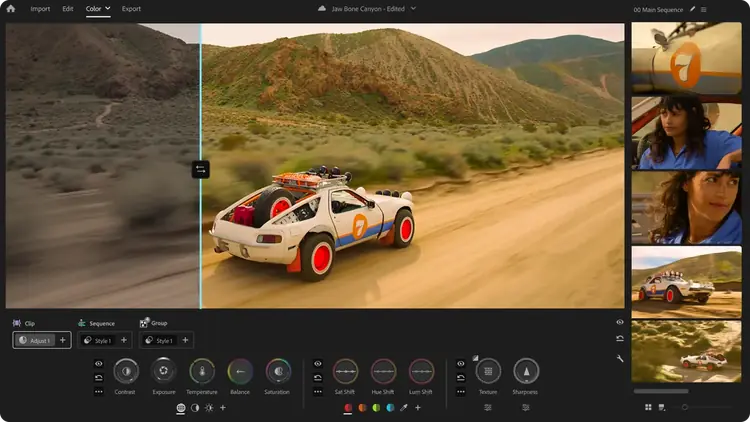 Video EditingAdobe Premiere Review: The Connected Editor for Creative Cloud TeamsRead more →